About
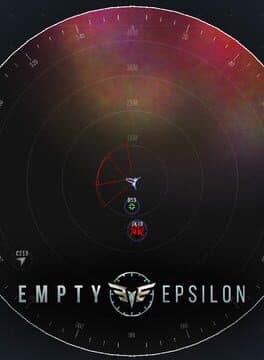
To run a standard bridge for EmptyEpsilon, you need the following equipment: 4-6 devices, 1 for each officer except the captain. These can be laptops, desktops, or Android devices. One big screen (large monitor, TV, or projector). A stable network. Wifi can work, but we recommend a wired LAN. If playing over the internet, voice chat is strongly recommended. All but 1 of the officers operate "stations" that control different parts of the ship. The last computer is for the main screen, which does not need any input and should be visible to all players. Designate 1 player as Captain, whose computer can serve as the ship's main screen. The Captain's only duty is to communicate with the other officers and tell them what they should do. The other officers each operate one of the ship's stations, which are described in the Stations tab. Running the game After starting the game on the computer serving as the main screen, you can also configure it as the game server. The other stations can then connect to the game server as clients. After starting the server, select a scenario (we recommend the "Waves" or "Basic" scenarios for first games), then spawn a player ship for everyone to join. Everyone should select the same ship and choose their designated station. That's it! You're now in command of a fully functional spaceship. Internet play A crew can play EmptyEpsilon over internet connections. This means the game server needs to be accessible from the internet. The server runs on port 35666, which needs to be open in your firewall and forwarded to your server if you are behind a router.
Release Dates by Platform
| Edition | Platform | Release Date | Region |
|---|---|---|---|
| Standard Edition | PC | Feb 28, 2016 | Worldwide |
Screenshots
Trailer
User Reviews
Reviews
Loading reviews